
Getting Started
OKX for Beginners: A Seven-Day Learning Plan Before You Trade
A practical seven-day route through OKX Learn: understand core terms, verify current procedures in the Help Center, secure your account, and practise with demo funds before risking money.
If you search for OKX for beginners, the official learning library can feel less like a course and more like a busy magazine. OKX Learn mixes fundamentals, product education, market commentary, and company news on one page. This guide turns those resources into a seven-day study plan: learn one concept, verify the current procedure, and practise only what you understand.
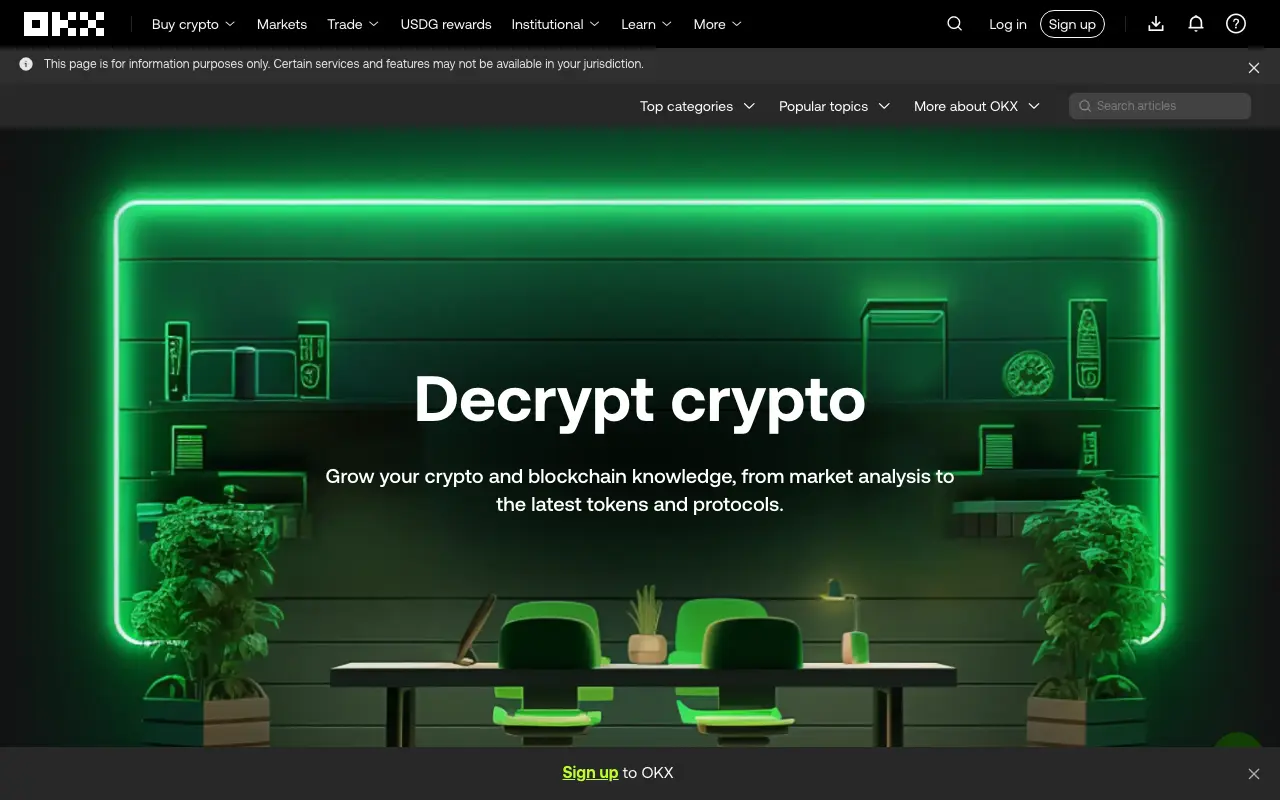
Screenshot of the public English-language OKX Learn homepage captured on August 31, 2026. The page warns that services and features may not be available in every jurisdiction.
Is OKX Academy the same as OKX Learn?
The current official education page is branded OKX Learn. People may still search for “OKX Academy,” but that is not the name shown on the English-language page checked for this article. Verify the domain before relying on a result: the official library is under okx.com.
The page currently includes top categories, popular topics, article search, and an All topics index. Topics range from Introduction, Trading basics, Order Types, Terminology, Security, and Wallets to Perpetuals and technical analysis. The same page also features recent product and market stories. A prominent or recent card is therefore not necessarily the right first lesson.
Use three resources for three different jobs
Do not expect one page to answer every kind of question. Use each official resource for its strongest purpose:
| Resource | Use it for | Check before acting |
|---|---|---|
| OKX Learn | Concepts, terminology, and broad product education | Is this an explainer, opinion, market update, or product announcement? |
| OKX Help Center | Current operating steps, account questions, and troubleshooting | Does the page apply to your region and product version? |
| Demo trading | Rehearsing order entry and interface controls with virtual assets | Is the account clearly in Demo trading mode, not live trading? |
A useful sequence is Learn → Help Center → demo. First understand the idea. Then confirm the current procedure. Finally practise the action without treating simulated results as proof of future returns. If the interface itself is unfamiliar, start with our beginner’s tour of the OKX app before following a trading lesson.
The seven-day OKX learning plan
Each day should end with a small piece of evidence: a definition in your own words, a checklist, or a completed demo action. Reading alone can create familiarity without creating usable skill.
Day 1: Map the account before looking at products
Learn the difference between an exchange account, a funding or trading balance, and a self-custody wallet. Write three sentences explaining who controls the assets in each case and what recovery route exists if access is lost.
Stop if you cannot explain the difference between an exchange login and a wallet recovery phrase. Never enter a wallet seed phrase into an exchange sign-in page, support chat, or learning note.
Day 2: Learn the three basic order types
Study market, limit, and stop or trigger orders. For each one, answer two questions: what condition sends the order, and what could make the result differ from your expectation? A market order prioritises execution, not a guaranteed price. A limit order controls its limit price but may remain unfilled. A trigger describes when another order is submitted; it does not promise the final fill price.
Your evidence for the day is a one-line use case and one failure mode for each order type.
Day 3: Trace every cost
Learn where trading fees, spreads, slippage, and—if you are studying perpetuals—funding payments can appear. Do not memorise a rate from an article because rates and tiers can change. Instead, learn where the current fee schedule and the order confirmation display the cost.
For any product, trace the complete movement of value:
- What asset leaves your control?
- Who holds or uses it?
- Where can a fee, spread, or periodic payment appear?
- What could delay or prevent an exit?
- What does a successful exit return to you?
If an explainer does not answer those questions, it may be a useful introduction, but it is not enough information to move funds.
Day 4: Secure the account
Security belongs before deposits and advanced products. OKX’s account-security guide, updated August 26, 2026, lists controls including an authenticator app, mobile and face verification, a passkey, and an anti-phishing code. The exact controls available can vary by account or region, so use the Security page inside your own account as the current checklist.
Prepare a setup list without copying any secrets into it. Passwords, recovery codes, authenticator seeds, API keys, and wallet seed phrases should never appear in study notes or screenshots. Our step-by-step OKX account setup guide explains a sensible order for registration, verification, and security settings.
Day 5: Learn deposits without sending one
Study the relationship between an asset, a blockchain network, a deposit address, and a memo or tag. Your exercise is a mock transfer checklist: confirm the asset, match the network at both ends, check whether a memo or tag is required, review minimums and fees, and verify the destination.
Do not send money merely to complete the lesson. A wrong network or missing memo can delay recovery or make it impossible. When instructions conflict, prefer the newest official Help Center page that applies to your verified region and stop to contact official support rather than guessing.
Day 6: Practise one controlled demo order
OKX’s current demo guidance says demo and live trading are separate, and demo assets are not real money. Before placing anything, confirm that the screen is labelled Demo trading. Then choose one market, place a deliberately small virtual limit order, cancel it, and find the order history.
The goal is to operate the controls deliberately, not to generate an impressive virtual P&L. Our structured OKX demo trading guide provides a practice checklist and explains what simulated trading cannot prove.
Day 7: Decide what should wait
List the products you will not use yet. Margin, perpetuals, options, copy trading, bots, and yield products introduce different risks; a short homepage description is not enough preparation. For each deferred topic, write the question that must be answered first—for example, “What is the maximum possible loss?” or “Who pays this yield?”
A good first week ends with a smaller menu of actions, not a larger one.
How to judge an OKX Learn article
Before relying on any lesson, check four details:
- Date: concepts change slowly, while menus, fees, limits, and availability can change quickly.
- Region: the page may describe a product that is unavailable in your jurisdiction.
- Purpose: an explainer, market view, and product announcement have different goals.
- Primary source: live fees, limits, and procedures should be confirmed in the current Help Center or product terms.
Also distinguish education from persuasion. A useful lesson should make costs, constraints, and exit conditions clearer. If it mainly creates urgency, step away and verify the claim elsewhere.
Signs you are reading but not learning
Pause when any of these are true:
- You can repeat a term but cannot explain who pays whom.
- You bookmark market stories but skip fees, risks, and exit conditions.
- You move from beginner material to leverage because the interface looks simple.
- You treat an author’s market view as a promise.
- You follow an old screenshot without checking the current screen for your region.
- You cannot describe the exact evidence that would prove you misunderstood a product.
A learning centre can explain a tool; it cannot decide whether that tool is suitable for you. The purpose of this plan is to make the next action slower, clearer, and easier to check.
Official sources checked
- OKX Learn homepage, checked August 31, 2026.
- OKX Help Center, checked August 31, 2026.
- What’s demo trading and how do I use it?, updated August 20, 2026 and checked August 31, 2026.
- How do I secure my exchange account?, updated August 26, 2026 and checked August 31, 2026.
Educational content only. This article does not provide investment, legal, or tax advice.