
Copy Trading & Bots
OKX Copy Trading Review: How to Choose a Lead Trader and Set Risk Limits
Review OKX Spot and Futures lead traders using drawdown, order history and copier results. Find the profile, set copy limits, and plan how to stop.
OKX copy trading can mirror a lead trader's orders in your account, but the leaderboard cannot tell you whether that trader fits your risk limit. A useful review starts with the losses you could inherit—not the return that first caught your eye.
This guide gives beginners a repeatable way to review an OKX lead trader, interpret the statistics currently shown by OKX, and set boundaries before copying. Product availability, menus, metrics, and rules vary by region and can change. Check the current page in your own verified account before committing funds.
Quick answer: choose Spot or Futures first, compare candidates over the same period, read drawdown and order history before PnL%, compare lead-trader results with copier results, and set a maximum total amount plus a total stop loss you can afford. Copy trading delegates order execution; it does not transfer risk to the lead trader.
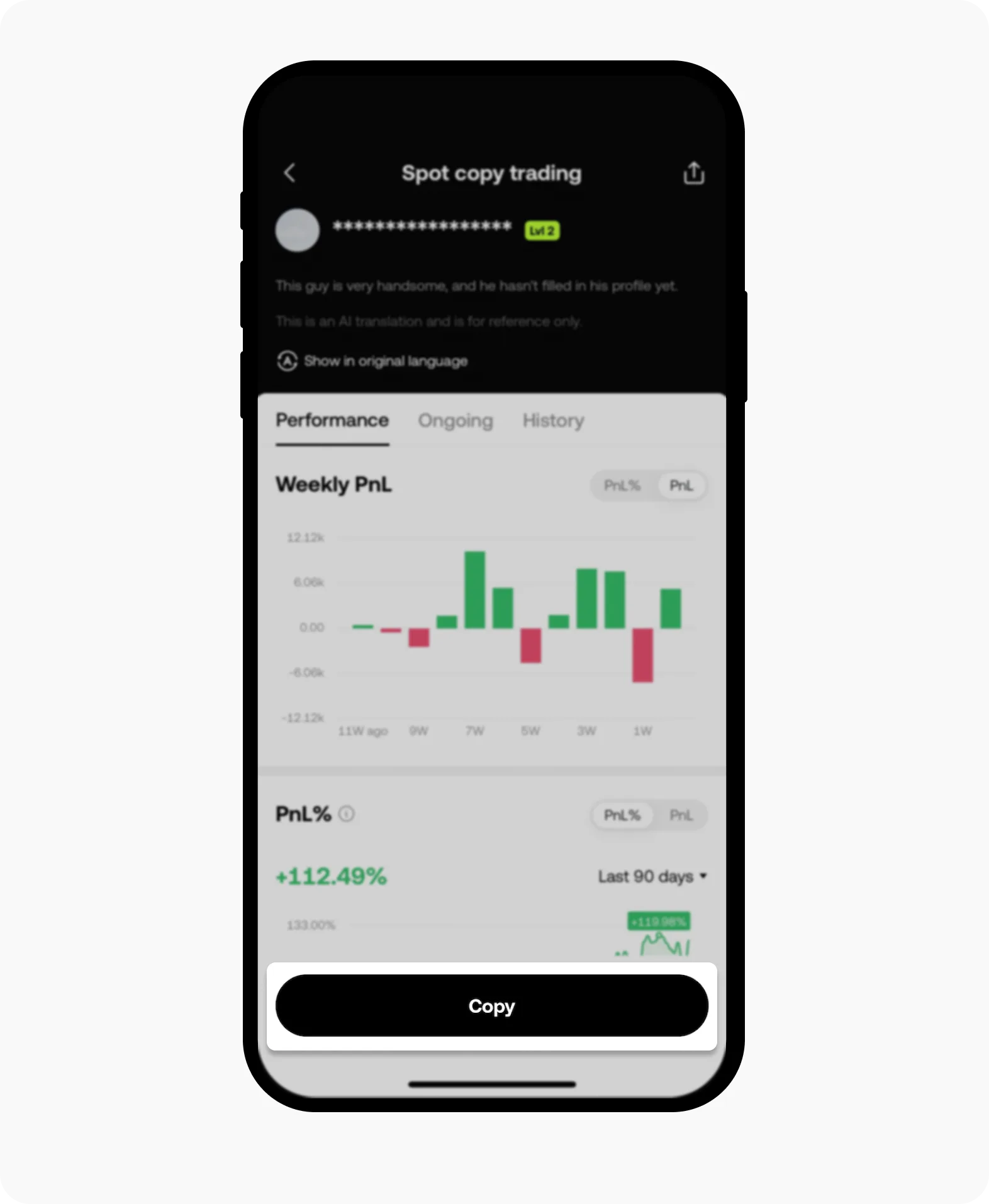
This anonymized interface screenshot appears in OKX's official help material about choosing a lead trader. It was checked on September 28, 2026. The displayed percentage is historical interface data, not a forecast or recommendation.
First decide what you are actually copying
OKX separates Spot and Futures lead traders. That distinction matters more than leaderboard position. A Spot strategy buys and sells the underlying asset. A Futures strategy can use leverage, margin modes, funding payments, and liquidation mechanics. Two profiles with similar PnL can therefore expose a copier to very different paths and worst-case outcomes.
If you cannot explain leverage, margin mode, mark price, and liquidation, pause before copying a Futures trader. Understand cross versus isolated margin and liquidation before you use leverage.
Also confirm that copy trading is available in your jurisdiction. An OKX help page may be visible even when the product or a particular feature is unavailable for your account or region.
Where to find a lead trader profile
In the OKX app, open Trade > Bots & Copy > Copy trading and select a trader card. On the web, use Trade > Bots & Copy > Copy Trading. Open the full profile before selecting Copy. OKX says you can also search for a trader by their full nickname. Product availability and labels can differ by account and region.
When comparing candidates, keep the product and time window the same. A seven-day Spot return and an all-time Futures return do not answer the same question.
What the OKX lead-trader statistics mean
OKX's current documentation says the marketplace and profile can show PnL%, PnL, win rate, order count, copy-trader PnL, average holding period, current copy traders, AUM, charts, and crypto preferences. Profile periods can include the last 7 days, 30 days, or all time. OKX now says lead-trader data is updated every hour, so every screen remains a snapshot rather than a live guarantee.
| Metric | What it tells you | What it does not prove |
|---|---|---|
| PnL% | Profit relative to cost under OKX's calculation | That the return will continue after you join |
| PnL | Profit or loss for the selected period | How much risk produced it |
| Win rate | Profitable closed orders divided by total closed orders | Whether average wins exceed average losses |
| Maximum drawdown | A peak-to-trough decline shown for the measured period | The maximum possible future loss |
| Number of orders | The size of the visible trade sample | Whether the process is repeatable |
| Average holding period | How long positions were held on average | Whether your copied entry and exit will match |
| Copy-trader PnL | Aggregate copier profit or loss for the selected period | What your individual result will be |
| Current copy traders | How many accounts currently copy the trader | Skill, safety, or spare strategy capacity |
| AUM | The value currently copied by followers | The lead trader's personal capital or commitment |
A metric is a prompt for another question, not a verdict. High win rate can coexist with occasional large losses. High AUM can reflect popularity rather than resilience. A strong all-time figure can hide a weak recent period.
Why the Overview rank is not a safety score
As checked on September 28, 2026, OKX says its Overview rank weights cumulative PnL% at 20%, current copy traders at 20%, copy-trader PnL at 15%, 30-day PnL% at 15%, 7-day PnL% at 10%, historical maximum drawdown at 10%, and weekly maximum drawdown at 10%. OKX also warns that these weights can change.
That mix is useful for discovery, but it is not a personalised risk rating. Popularity and return measures account for most of the displayed weighting, while drawdown accounts for one-fifth. A trader can therefore rank highly without matching your maximum acceptable loss, preferred assets, or holding period. Use Overview to build a shortlist, then open each profile and perform your own review.
A repeatable lead-trader review
1. Compare like with like
Filter to the product you intend to use, then compare traders over the same time window. Do not compare one trader's seven-day surge with another trader's all-time record. Open the full profile instead of relying on the marketplace card.
Record the date, selected period, PnL%, drawdown if shown, number of closed orders, average holding period, copy-trader PnL, and main traded assets. A dated note prevents a changing leaderboard from silently replacing the evidence behind your decision.
2. Read drawdown before return
Drawdown describes the decline between a prior peak and a later trough. It is more useful than a headline return for deciding whether a strategy's path fits your limit.
There is no universal safe percentage. Compare historical drawdown with the maximum amount you are prepared to lose, then leave room for a worse outcome. Historical drawdown is not a ceiling: future conditions, leverage, liquidity, or a changed strategy can produce a larger loss. If the relevant drawdown is unavailable, treat that gap as uncertainty rather than assuming it was small.
3. Check whether one short episode produced the return
Switch between available periods and inspect the PnL chart. A durable-looking record should not depend entirely on one vertical jump. Review order history for sudden changes in position size, leverage, traded assets, or holding time. Those changes do not prove misconduct, but they can mean the past summary no longer describes the process you are about to copy.
Look at sample size too. A percentage based on a few closed orders carries more uncertainty than the same percentage across many trades and different market conditions. More trades still do not prove skill; they simply provide more evidence to inspect.
4. Separate win rate from payoff
Win rate counts profitable orders, not the size of wins and losses. Nine small winning orders followed by one loss larger than all nine gains can display a 90% win rate while losing money overall.
Compare win rate with the PnL chart, maximum drawdown, and individual trade history. Be cautious when a profile shows many small gains alongside rare abrupt losses or repeated additions to a losing position.
5. Compare lead-trader and copier outcomes
The result shown for a lead trader is not automatically the result obtained by every copier. Mirrored orders may execute later or at a different price, and copiers can use different sizing, leverage, contracts, and risk settings. OKX displays copy-trader PnL separately for a reason.
Check whether copier results broadly support the headline performance, while remembering that aggregate copy-trader PnL is influenced by follower size and join dates. For the mechanisms behind performance gaps, read our explanation of slippage, survivorship bias, incentives, and other copy-trading risks.
6. Inspect concentration and capacity
Use crypto preferences and order history to see whether the trader concentrates on one asset or repeatedly trades thin markets. Concentration can look consistent until the main exposure reverses. Thin markets can make copied execution more sensitive to timing and liquidity.
Current copy traders and AUM show popularity and scale, not safety. A larger following may matter when a strategy depends on quick entry or exit, but public figures alone cannot prove that capacity has been reached. Treat them as context rather than an automatic pass or fail.
7. Read costs on the confirmation screen
Copied trades can incur normal trading fees, and eligible profits may be subject to the lead trader's displayed profit-sharing terms. The exact ratio and settlement rules can vary by product, trader level, and region. Read the live order summary and applicable OKX rules before confirming. Our separate guide explains copy-trading fees, profit sharing, funding, and slippage in detail.
Configure limits before selecting Copy
OKX's current guide describes fixed and proportional order amounts, a maximum total amount, contract and leverage settings, a total stop loss for the trader, and per-order take-profit and stop-loss controls. Availability depends on the product and account.
- Fixed amount uses the chosen margin amount for each copied order. Several simultaneous positions can make the total exposure much larger than one order amount.
- Proportional amount applies a multiplier to the lead trader's order size. It may track relative sizing more closely, but it does not make the strategy safe.
- Maximum total amount limits capital assigned to that lead trader. OKX says new copied trades stop when the limit is reached until existing trades close.
- Margin mode and leverage determine how Futures exposure uses collateral. “Same as trader” still means inheriting settings you need to understand.
- Total stop loss ends the copy relationship after combined losses reach the configured amount. The setup flow can also ask what to do with open orders.
- Per-order take-profit and stop-loss can close an individual position when triggered, but the actual execution price can differ in fast markets.
Set limits from your own loss budget, not from the interface minimum or the amount a lead trader appears to use. Review the final order summary before confirming. OKX also states that copy traders cannot see a lead trader's liquidation price, so do not assume you know the lead account's remaining margin buffer.
Review after you start
A copy is not a one-time decision. Keep the dated baseline you recorded and review whether the trader's product, leverage, assets, sizing, holding period, or drawdown pattern has materially changed. Judge the process against the reason you selected it, not against one winning or losing trade.
OKX says changes to copy parameters affect new copied trades only; positions already open are not changed. In the app, start at Trade > Bots & Copy. Depending on the interface, open My copies directly or through My bots, then choose the trader and Manage. You can adjust settings for new positions or select Stop copying. Inspect ongoing positions before either action. Our guide to stopping OKX copy trading and reviewing open positions walks through the exit decision. Do not assume a new setting retroactively protects an open position.
Stop and reassess when you no longer understand the exposure, the trader changes style, losses reach your prewritten limit, or the evidence needed to evaluate the strategy disappears. A limit is useful precisely because it makes the decision before a loss creates pressure to improvise.
Ten-minute review checklist
Before pressing Copy, you should be able to answer all of these:
- Am I copying Spot or Futures, and is it available for my account and region?
- Did I compare the same time window across candidates?
- What was the historical drawdown, and could I tolerate a larger future loss?
- Is there enough order history to inspect?
- Do win rate, PnL, drawdown, and trade history tell a coherent story?
- How did copy traders perform relative to the headline result?
- Which assets, leverage, and margin mode will my account use?
- What fees and profit-sharing terms appear on the current order summary?
- What maximum total amount and total stop loss have I set?
- What will happen to open positions if I stop copying?
If any answer is unclear, the next step is more verification—not a larger allocation.
FAQ
Is OKX copy trading safe for beginners?
No setting makes copy trading risk-free. A beginner should first distinguish Spot from Futures, understand the possible loss on the chosen product, and use only an allocation they can afford to lose. Treat the leaderboard as a discovery tool, not a safety score.
Fixed or proportional amount: which is easier to control?
Fixed amount makes the margin assigned to each copied order explicit, but several simultaneous positions can still build a much larger total exposure. Proportional amount follows the lead trader’s relative sizing, so your order amount can vary. With either method, use the maximum total amount and total stop loss as separate account-level boundaries.
Can I lower my settings after copying starts?
Yes, but OKX says parameter changes apply only to new copy trades. They do not resize, re-leverage, or add protection to positions already open. Review ongoing positions separately before relying on a new limit.
Official sources checked
- OKX: How do I choose a lead trader?, updated August 26, 2026; checked September 28, 2026.
- OKX: Lead trader profile, updated August 7, 2026; checked September 28, 2026.
- OKX: How do I create a successful copy trade order?, updated September 17, 2026; checked September 28, 2026.
- OKX: How do I manage my copied trades?, updated August 26, 2026; checked September 28, 2026.
Educational content only. Copy trading and crypto derivatives can result in substantial losses; this article is not investment, legal, or tax advice.