
Copy Trading & Bots
OKX Copy Trade Not Going Through? Check Balance, Limits and Price Protection
An OKX copy order can fail because of available balance, minimum size, your total cap, price protection or lead-trader restrictions. Use this checklist to find the cause before changing settings.
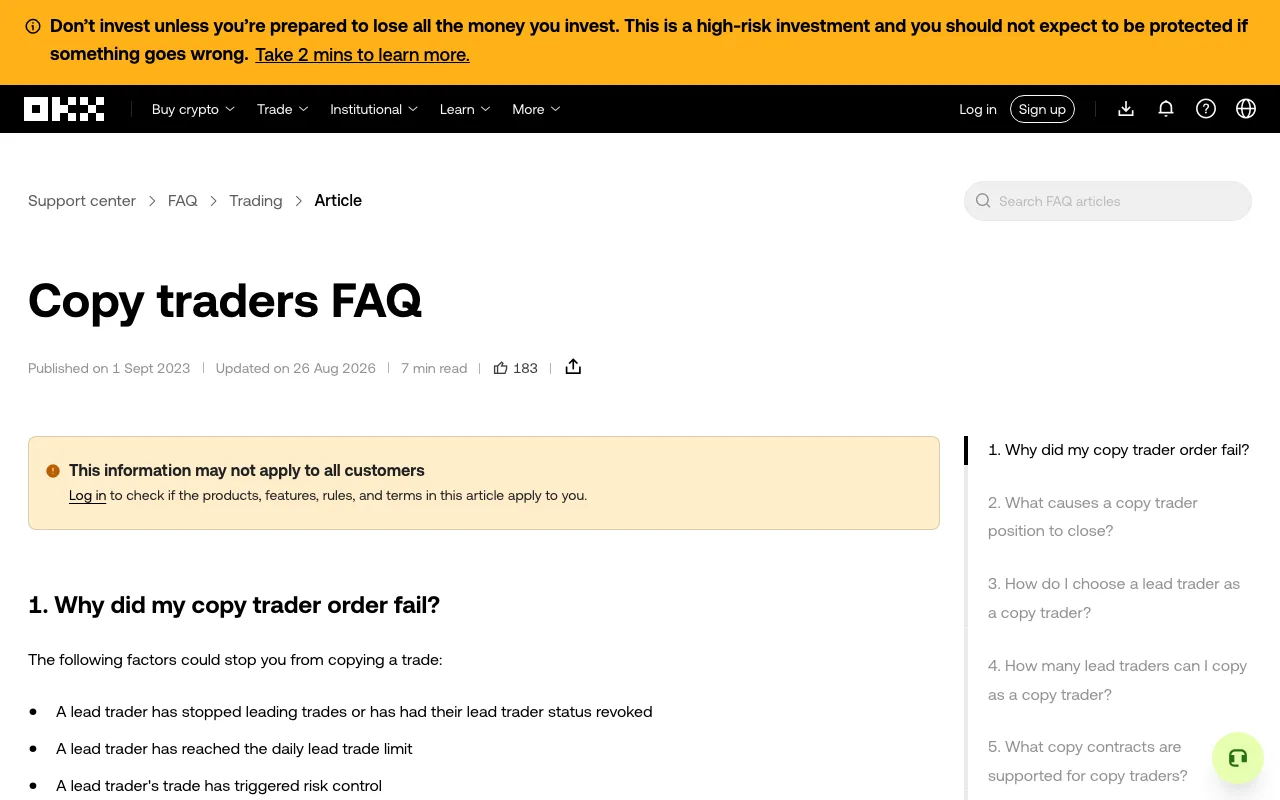
An OKX copy trade can fail even when the lead trader has opened a position. Before changing your allocation or trying to trade manually, find out whether the order was rejected, remained open, or never became a copy order. Those are different problems, and raising a limit without identifying the cause may increase your risk without fixing anything.
Quick check: read the failure notification, confirm the product is Spot or Futures, compare your available trading balance with the order requirement, then review your per-order amount and maximum total amount. If those fit, check price protection and lead-trader restrictions. Do not assume that a missed order will appear later.
The public OKX Copy traders FAQ, captured on September 30, 2026. It is a screenshot of the official help page, not an account-specific error or a trade result.
First identify what actually happened
Check OKX's in-app notification and the email associated with your account for the failed-copy reason. Use the notification as the starting point, not a trader's public performance chart. Next, open your copy-trading area and inspect Ongoing and History for the same trader, market, and time. OKX's copied-trade management guide describes those sections; labels can vary by app version and region.
If an order or position is already open, do not place a second order merely because you saw a failure alert. Confirm the instrument, direction, amount, and status first. An open position needs a position decision, not an attempt to replay the original signal. If you want to stop future copying, our guide to reviewing open positions before stopping OKX copy trading explains that separate choice.
Check the four causes on your side
Available trading balance. The money visible elsewhere in an account is not necessarily available to the trading account used for the copy order. Compare the available balance with the amount required for this product and order. For Futures, check required margin as well as other positions using that balance. OKX lists insufficient trading funds as a cause for both Spot and Futures failures. Adding funds is a risk decision; it does not make a rejected trade safe or guarantee that it will be copied.
Amount per order. A copied order can fall below the market's current minimum order size or value. This can happen with a small fixed amount or a proportional setting that turns the lead trader's order into a smaller amount for you. Check the live minimum for the actual pair or contract instead of reusing a number from an older article. If the minimum is more than you intended to risk, skipping the trade is a valid outcome.
Maximum total amount. Your cap can stop new copied positions while existing ones remain open. Compare the amount committed to ongoing copied trades with the cap you chose. Do not raise the cap solely to chase a missed entry; decide whether the larger total exposure still fits your plan. Our lead-trader review and risk-limit checklist can help you reassess the allocation before changing it.
Price protection. OKX's published Spot and Futures explanations describe protection that can reject a copied opening trade when your entry price differs too much from the lead trader's. The pages checked on September 30, 2026 describe a 0.5% threshold, but product rules and availability may change. A protected failure is not evidence that you should buy manually at the worse price. Check the current rule and market conditions in your own account. For a separate explanation of how execution gaps affect returns, see copy-trading fees, spread, and slippage.
When your settings look correct
The cause may be on the lead trader's side. OKX says a trader may no longer have lead-trading permission, may hit an order or position limit, or may trigger risk controls. These are not problems you can fix by repeatedly changing your amount. The OKX Copy traders FAQ lists the broad reasons, while its separate Spot and Futures articles describe product-specific constraints.
Futures also has cases that do not look like a simple balance error. OKX's Futures help page describes Smart Sync position-ratio controls and immediate-or-cancel orders that may not fill when market depth is insufficient. Treat a partial fill and a fully rejected copy as different outcomes: inspect the actual position and order record before deciding what remains exposed.
A safe five-minute troubleshooting sequence
- Record the notification's reason, timestamp, trader, product, and market. Keep account identifiers and personal details out of screenshots you share.
- Check Ongoing, History, and the relevant order or position view. Establish whether any part of the trade was executed.
- Compare available trading balance, per-order amount, the market's live minimum, and your maximum total amount.
- If those do not explain it, check price protection, trader status, and the product-specific OKX help page. Do not bypass a risk control just to reproduce a missed signal.
- If the notice and order record still disagree, contact OKX support from the verified app or website with the timestamp and non-sensitive order details. Never send a password, one-time code, API key, or recovery phrase.
Will adding funds place the missed Spot copy order automatically?
No. OKX's Spot failure guide says a trade that already failed will not be placed after you add funds. Check the next signal and your settings independently; do not assume the missed entry has been queued.
Why can a copied Futures position fail to close?
OKX says extreme price movement, market depth, or price-limit rules can prevent a copied close. If you receive such a notice, inspect the position immediately and follow the account's current close controls or official support guidance. A failed close can leave market exposure open.
Sources: OKX Spot copy-order failure reasons, OKX Futures copy-order failure reasons, and OKX Copy traders FAQ, checked September 30, 2026. Product availability and rules vary by jurisdiction and account. This is educational information, not investment advice.