
Futures & Margin Basics
What Is the CoinGlass Liquidation Heatmap? How to Read Bright Bands Safely
CoinGlass is a crypto derivatives data platform. Learn what its liquidation heatmap estimates, how to cross-check bright bands with open interest and funding, and why they are not price targets.
CoinGlass is a crypto derivatives market-data platform that brings liquidation estimates, open interest, funding rates and exchange-level futures data into one place. Its liquidation heatmap is useful for one narrow job: showing where leveraged positions may become vulnerable if price moves far enough. It is not an order book, it does not reveal every trader's exact liquidation price, and a bright band is not a promise that price will travel there. For a futures beginner, that distinction matters more than any individual colour on the chart.
This guide explains what the map estimates, how to read it in three checks, and when to ignore it. The goal is not to predict the next candle. It is to avoid building a trade around a picture you have misunderstood.
Quick answer
The CoinGlass liquidation heatmap shows estimated clusters of leveraged positions that may be forced to close if price reaches them. Brighter areas indicate a larger estimated concentration under the selected market, time range and model. They are not confirmed orders, guaranteed price targets or a standalone reason to enter a trade.
Use it as a conditional risk map: identify which side could face forced closing, check whether open interest and funding support the crowding story, then manage your own position from the exchange's mark price, margin mode and liquidation estimate.
When the heatmap helps—and when it does not
| Question | Useful use | Misleading shortcut |
|---|---|---|
| Where might forced closing add volatility? | Map estimated clusters above and below price. | Assume the brightest band is the next target. |
| Is leverage becoming crowded? | Compare the same market and window with open interest and funding. | Read rising open interest as automatically bullish or bearish. |
| Is my position safe? | Use the exchange's live mark price, margin ratio and liquidation estimate. | Treat a CoinGlass band as your stop or liquidation price. |
If the decision you need is not in the middle column, the heatmap is probably the wrong tool.
What the heatmap is actually estimating
CoinGlass describes its liquidation map as a visualisation calculated from market data and liquidation leverage levels. Its API output separates a liquidation price from a liquidation level. In plain English, the tool estimates where forced closures could be concentrated and displays larger estimated concentrations more prominently. See the official CoinGlass liquidation-map documentation.
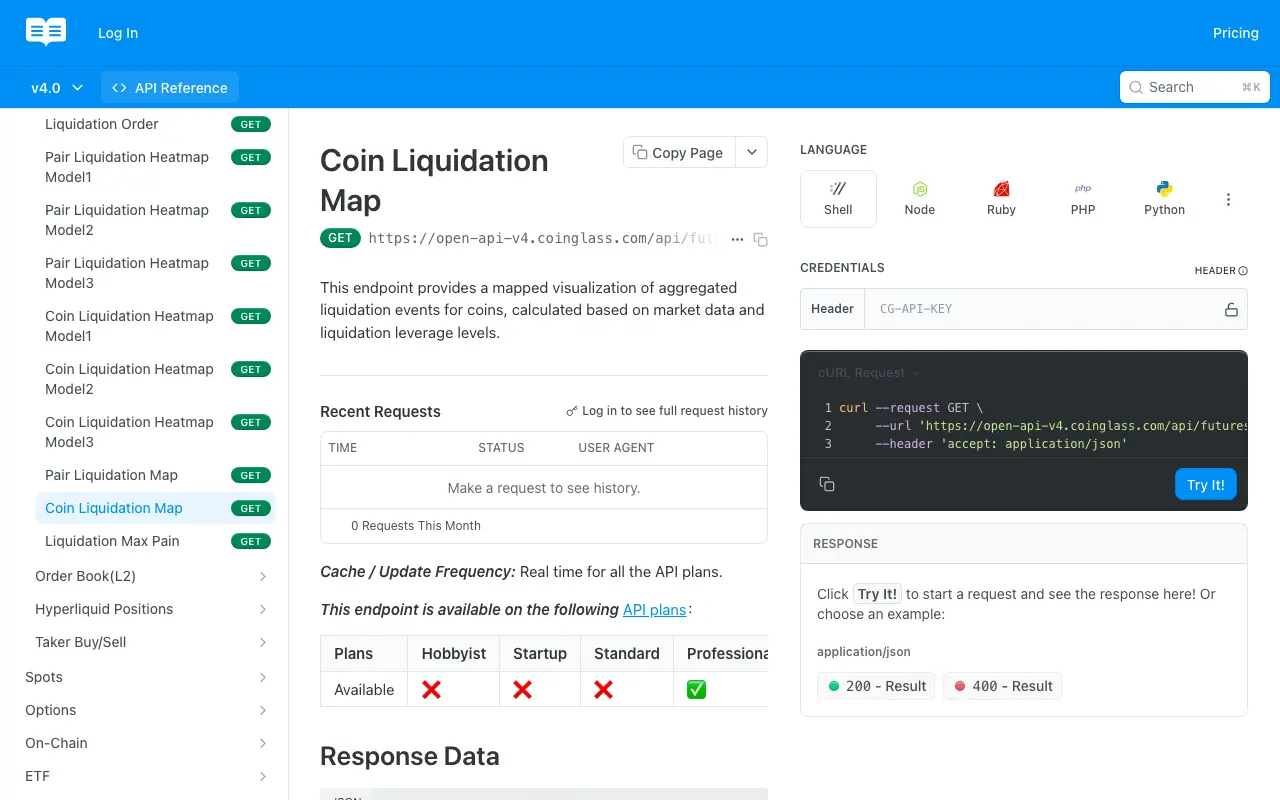
CoinGlass’s official documentation says the map is calculated from market data and liquidation leverage levels; sources and product details were rechecked on 8 September 2026.
That makes the heatmap a model, not a ledger of verified accounts. Traders can add margin, reduce positions, close early, hedge elsewhere or move between exchanges. The map can also change as price and positioning change. Treat every band as a live estimate with an expiry date.
It also helps to separate three things that are easy to blur together:
- A liquidation level is an estimated area where leveraged positions may be forced to close.
- A resting order is an instruction already sitting in an exchange order book. The heatmap does not prove that matching liquidity is waiting there.
- A support or resistance level is a conclusion drawn from price behaviour. A bright heatmap band can overlap one, but it does not create one by itself.
If liquidation mechanics are still unfamiliar, review how leverage, contracts and forced closure work before interpreting the chart. Without that foundation, the heatmap tends to look more certain than it is.
Set up the view before interpreting it
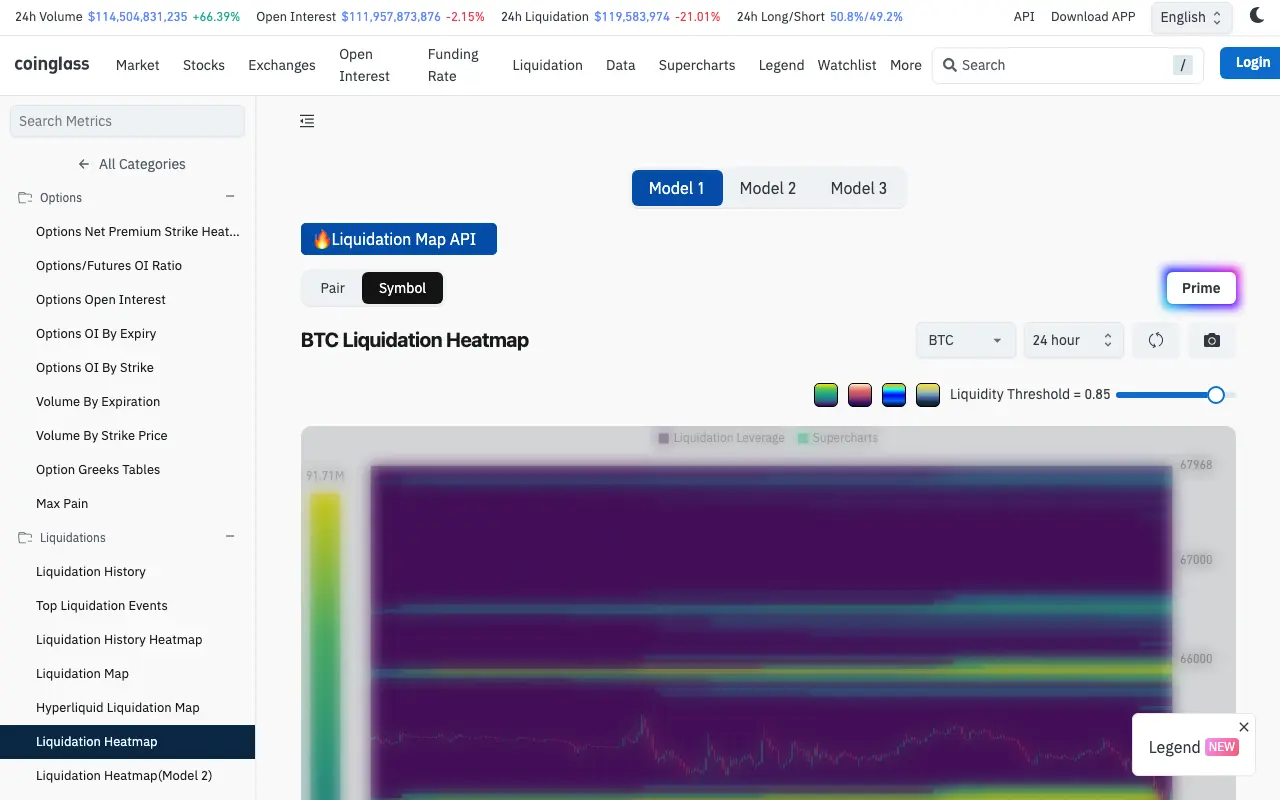
CoinGlass’s live BTC Liquidation Heatmap interface. The displayed market values are a point-in-time example and will change.
Start with our CoinGlass market-data profile if you need an overview of its funding, open-interest and liquidation tools. Then open CoinGlass's live futures Liquidation Heatmap and pause before looking for the brightest colour. Check the controls around the chart first; labels can vary as the product changes.
- Choose pair or coin aggregation. A pair view narrows the estimate to a venue and contract, while an aggregated coin view combines broader market information. Do not compare the two as if they were the same dataset.
- Confirm the exchange and contract. BTC/USDT perpetual data from one venue is not identical to an all-exchange BTC view.
- Choose a time range that matches your decision. A short window is more responsive but noisier. A long window can retain distant bands that are irrelevant to a short-term position.
- Note the model and threshold. CoinGlass exposes multiple heatmap models and a liquidity threshold. Changing either can change what is visible. Record the setting if you plan to compare screenshots later.
- Locate the current price. Only then compare the nearest material bands above and below it.
The official CoinGlass endpoint catalogue lists separate pair and aggregated heatmaps, multiple models, funding-rate data, open-interest data and liquidation history. That is a useful reminder that the chart is one view among several, not a complete market diagnosis. See the CoinGlass API endpoint overview.
A three-check method for reading a bright band
Check 1: Which side is exposed?
A cluster above current price generally represents short positions that could become vulnerable as price rises. A cluster below current price generally represents long positions vulnerable to a fall. This tells you the direction of potential forced flow, not the direction price must move.
Next compare both sides. If large estimated clusters sit above and below price, the map is not giving a clean directional answer. It is showing that leverage may amplify whichever side breaks first.
Do not reduce this to “price hunts liquidity.” Price can reverse before a band, pass through it with little reaction, or reach it after the underlying positions have changed. The honest reading is: if price reaches this area while the estimated positions still exist, forced closing could add to volatility.
Check 2: Is leverage becoming more crowded?
Now cross-check the heatmap with open interest and funding rates over the same approximate window.
- Rising open interest means more derivatives exposure is open in aggregate; it does not tell you by itself whether that exposure is net bullish or bearish.
- Falling open interest during a sharp move can be consistent with positions closing, but the chart alone cannot tell you which traders exited voluntarily and which were liquidated.
- Strongly positive funding means longs are paying shorts on that contract; strongly negative funding reverses the payment direction. It is evidence of imbalance, not a timing signal.
On OKX, funding is exchanged between position holders and the normal interval can vary by contract. The live contract page is the authority for the current rate and schedule, as explained in the OKX perpetual funding-fee FAQ. For a fuller explanation of the cost, use our plain-language guide to OKX funding rates.
The strongest interpretation is usually conditional. For example: “There is an estimated short-liquidation cluster above price, open interest has expanded, and funding is positive.” That describes a crowded market. It still does not justify entering without a price trigger, an invalidation level and a defined maximum loss.
Check 3: What would actually liquidate your position?
Your exchange, margin mode, leverage, entry price, added margin and maintenance-margin requirement determine your risk. A CoinGlass band does not replace the liquidation estimate shown on your own position.
OKX states that forced reduction or liquidation can occur when the maintenance margin ratio reaches its threshold, and that the mechanism uses mark price rather than simply the last traded price. The displayed liquidation price can change as account conditions change. See OKX's explanation of futures liquidation.
Before any position, write down:
- the price that invalidates the trade idea;
- the stop or exit method you control;
- the maximum account loss you accept;
- the exchange's current estimated liquidation price; and
- whether cross margin could expose funds outside this one position.
Your planned exit should normally occur well before forced liquidation becomes the risk-control mechanism. If the difference between cross and isolated margin is unclear, review which margin mode contains a losing position before using leverage.
A worked reading without pretending to forecast
Suppose the chart shows a bright estimated cluster above BTC's current price and a smaller cluster below it. Do not write, “BTC will rise to the upper band.” Write a conditional observation instead:
If price rises into the upper area before positioning changes, short liquidations may add forced buying and increase volatility.
Then test what would invalidate that observation:
- Does the cluster fade when you refresh or change the range?
- Does open interest fall, suggesting exposure is already being removed?
- Is the result present only on one exchange or one model?
- Does price fail at a clearly defined market level before reaching it?
If the answer to any of those questions changes, the original interpretation needs updating. A screenshot saved yesterday is not current market data.
Five mistakes that turn the heatmap into a trap
- Entering solely because a band is bright. Estimated concentration is context, not confirmation.
- Ignoring the selected market. A single-pair view and an aggregated view answer different questions.
- Mixing time horizons. A 30-day cluster may be irrelevant to a trade intended to last an hour.
- Treating every move as a liquidation hunt. News, spot flows, options hedging and ordinary order-book imbalance can move price too.
- Using the map to justify oversized leverage. Better context does not reduce the mechanical risk created by leverage.
The practical rule
Use the CoinGlass liquidation heatmap to form an if–then scenario, never a certainty: if price reaches an estimated cluster while leverage remains crowded, volatility may accelerate. Confirm the exact market and settings, compare at least one positioning metric, and manage the position from the exchange's mark price and margin rules.
That is a less exciting use of the tool than chasing every bright line. It is also the use most likely to keep a colourful estimate from becoming an expensive misunderstanding.
This article is educational and does not provide investment advice. Derivatives and leverage can cause rapid losses, including forced liquidation. Product availability and rules vary by jurisdiction and account.